1. 개념
➜ table
➜ items - 행 row
➜ attribute - 열 column
➜ 복합키(composite key) = partition key + sort key = primary key
2. dynamic DB 생성
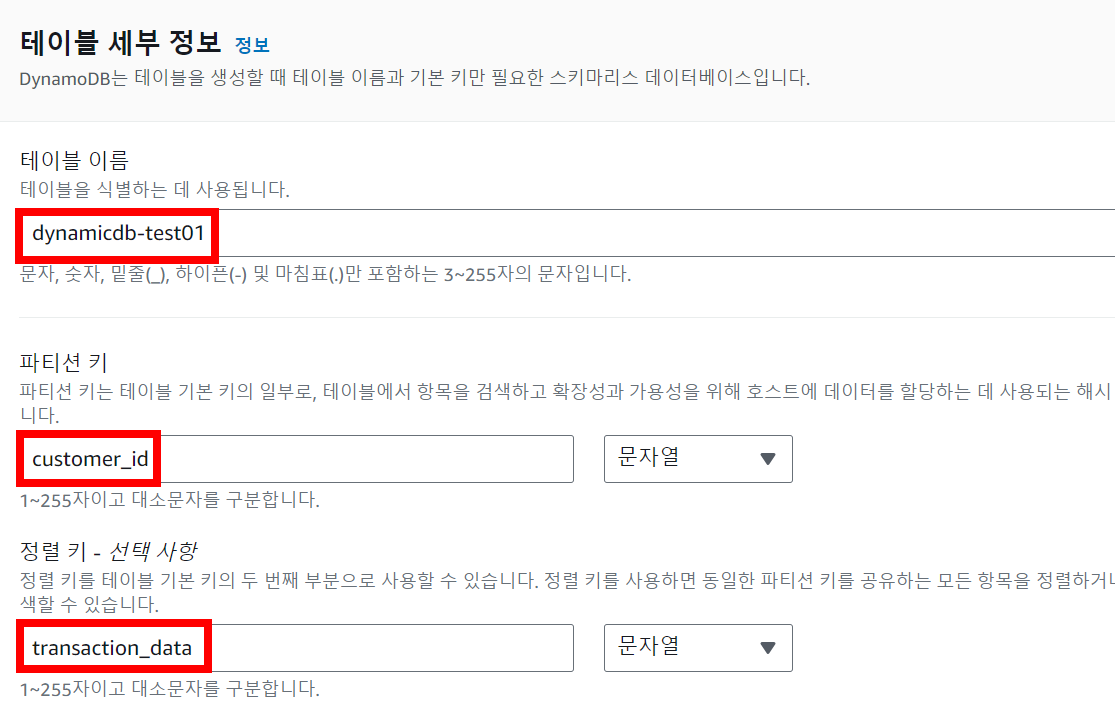

➜ 활성화 된 것 확인

➜ 표 항목 탐색 및 생성

➜ 데이터 업로드
import boto3
def lambda_handler(event, context):
    client = boto3.resource('dynamodb')
    table = client.Table('dynamicdb-test01') # 본인 DB 이름으로 수정
    table.put_item(
        Item={
            'customer_id': '12MCX',
            'transaction_date': '2020-08-02',
            'item_category': 'Book',
            'price': 18000
        }
    )


----------------------------------------------

import boto3
def lambda_handler(event, context):
    client = boto3.resource('dynamodb')
    table = client.Table('dynamicdb-test01')

    with table.batch_writer() as batch:
        batch.put_item(
            Item={
                'customer_id': '95IUZ',
                'transaction_date': '2020-10-24',
                'item_category': 'Desk',
                'price': 120000
            }
        )

        batch.put_item(
            Item={
                'customer_id': '72MUE',
                'transaction_date': '2020-10-28',
                'item_category': 'Chair',
                'price': 250000
            }
        )

        batch.put_item(
            Item={
                'customer_id': '28POR',
                'transaction_date': '2020-11-05',
                'item_category': 'Shampoo',
                'price': 50000
            }
        )

        batch.put_item(
            Item={
                'customer_id': '43NCH',
                'transaction_date': '2020-10-12',
                'item_category': 'Pulse',
                'price': 320000
            }
        )
3. Lamda 실습
➜ 함수 생성


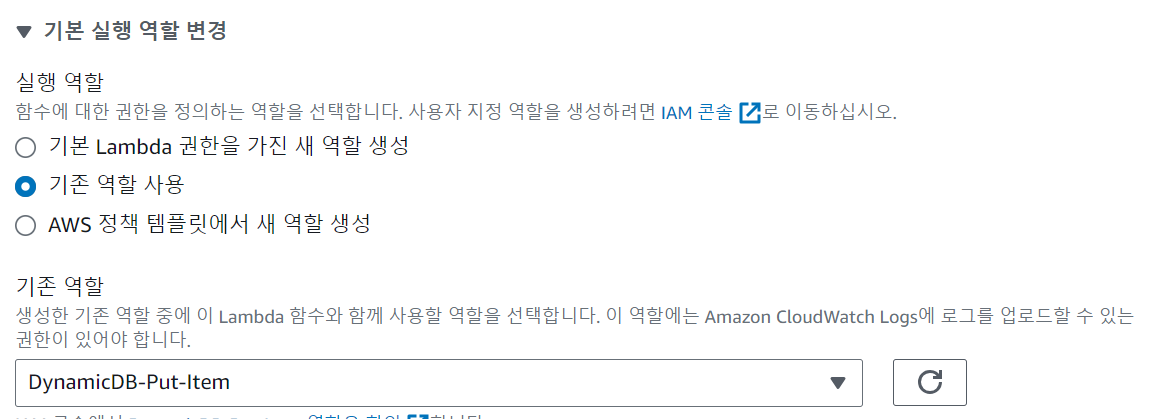
✅ Lamda 선택 > AmazonDynamoDBFullAccess 정책 추가 > DynamicDB-Put-Item로 역할 이름 생성
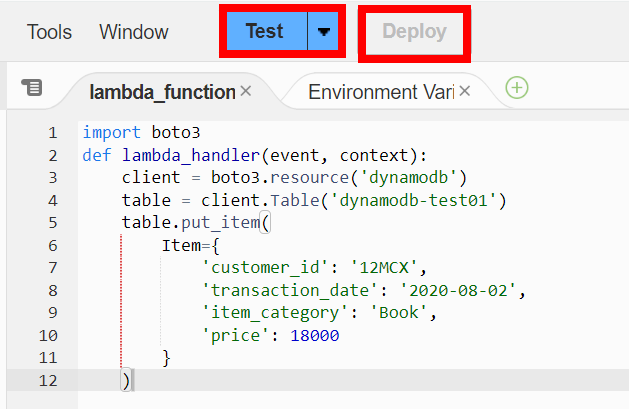
➜ 위에 코드 복붙 [ 두 개 따로 해보기 ]
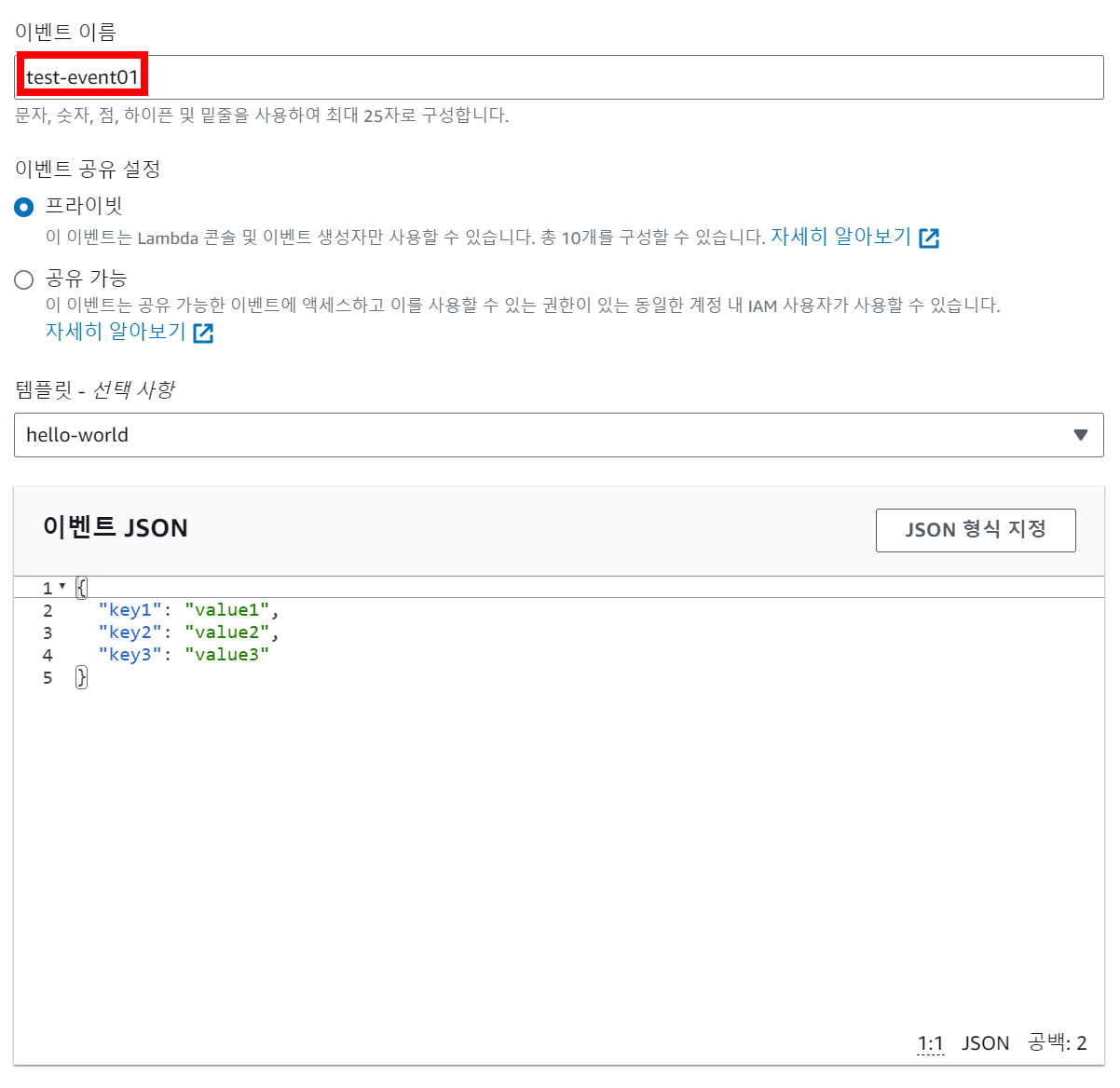
➜ 생성 확인


'AWS' 카테고리의 다른 글
| [ 17 ] - Cloudwatch X-ray (0) | 2024.10.15 |
|---|---|
| [ 16 ] - dynamoDB에 데이터 넣기 (0) | 2024.10.14 |
| [ restart ] (0) | 2024.10.10 |
| [ 14 ] - 보안 모니터링 (0) | 2024.10.10 |
| [ 13 ] - Karpenter 모니터링 (0) | 2024.10.08 |